
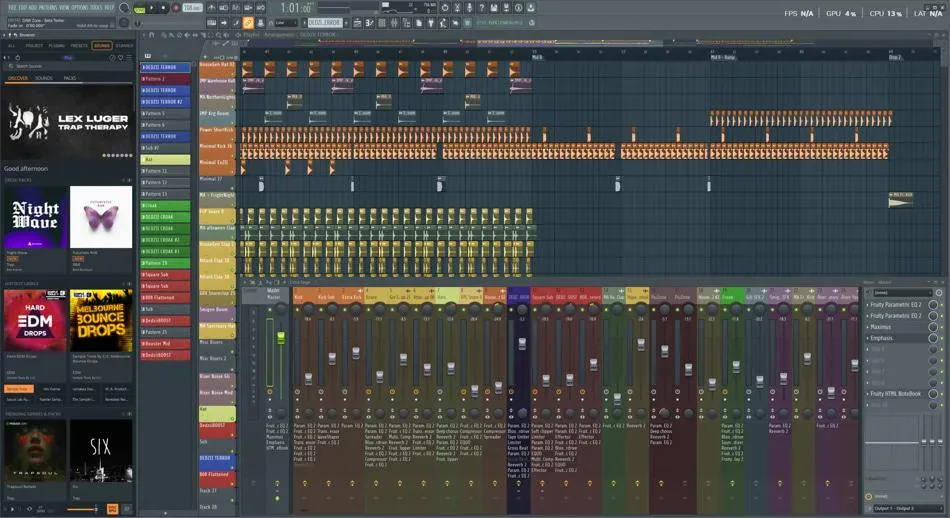
When a project stutters, it is rarely one plugin: it is the stack. The goal is to find the highest-impact wins first: the changes that recover the most CPU for the least creative sacrifice.
Freeze finished instruments
If a synth part is complete, bounce it to audio or use your DAW’s freeze feature. You keep the MIDI archive on a hidden track if you might revisit the sound design later.
Share time-based effects on sends
Instead of ten separate reverbs, route drums, keys, and vocals to two or three send buses with distinct characters. The mix often sounds more cohesive as a side effect.
Profile the outliers
Solo channels and watch the performance meter. Replace oversampled emulations with lighter alternatives on secondary layers. Not every shaker needs analog-modeled saturation.
Raise buffer last, not first
A bigger buffer hides overload symptoms; it does not remove them. If the meter spikes only when the chorus hits, freeze a few backgrounds first, then reassess. Reserve 512+ samples for playback and arrangement work; drop lower only when takes need tight monitoring through the DAW.
Stem or bounce submixes before stem requests
When someone needs “just the drums and bass,” pre-routed buses save you from soloing fifty channels. Bounce those stems at the same headroom you used for refs so level surprises do not show up in someone else’s session.
Smart disable: unused editors and previews
Open plugin UIs, analyzers, and realtime visualizers cost GPU and CPU. Close windows you are not adjusting. If a rompler loads full sample pools for previews you never audition, turn that behavior off or swap the patch.
Same project, two saves
Before a destructive freeze or bounce marathon, use Save As with a new version string. That way you can reopen the “heavy” mix if a client wants the pre-bounce tone back without hunting autosaves.
Quick checklist before you blame the laptop
- Close browsers, game overlays, and cloud sync that wrestle the disk.
- Confirm the session sample rate matches the interface clock.
- Mute or disable nonessential groups; confirm the spike follows one bus.
- Freeze or replace the worst offender; note its name in your change log.
- Raise buffer once as a sanity pass, then return to the list if xruns persist.
For clicks that sound like hardware rather than overload, continue with Clicks & dropouts.